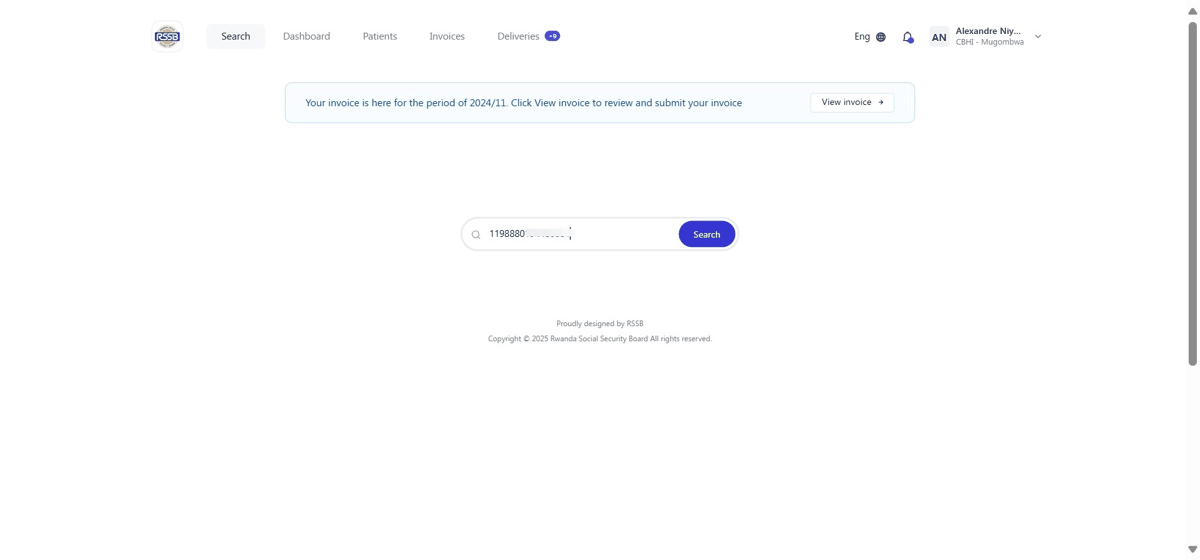
Step 2:
Type in the head of family ID to check eligibility and continue.
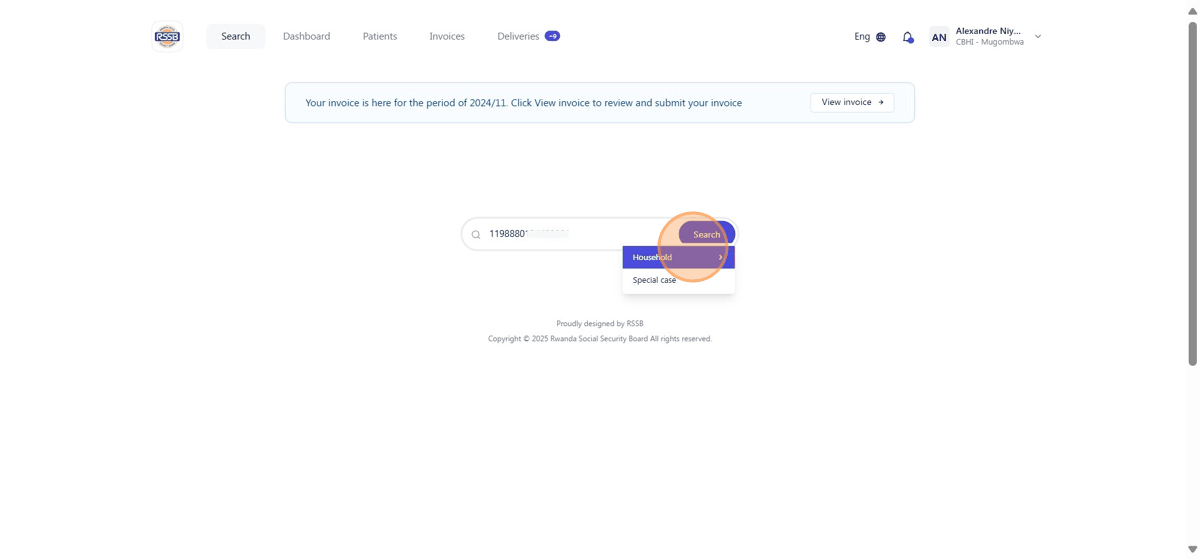
Step 3:
Choose the member who is seeking medical services.
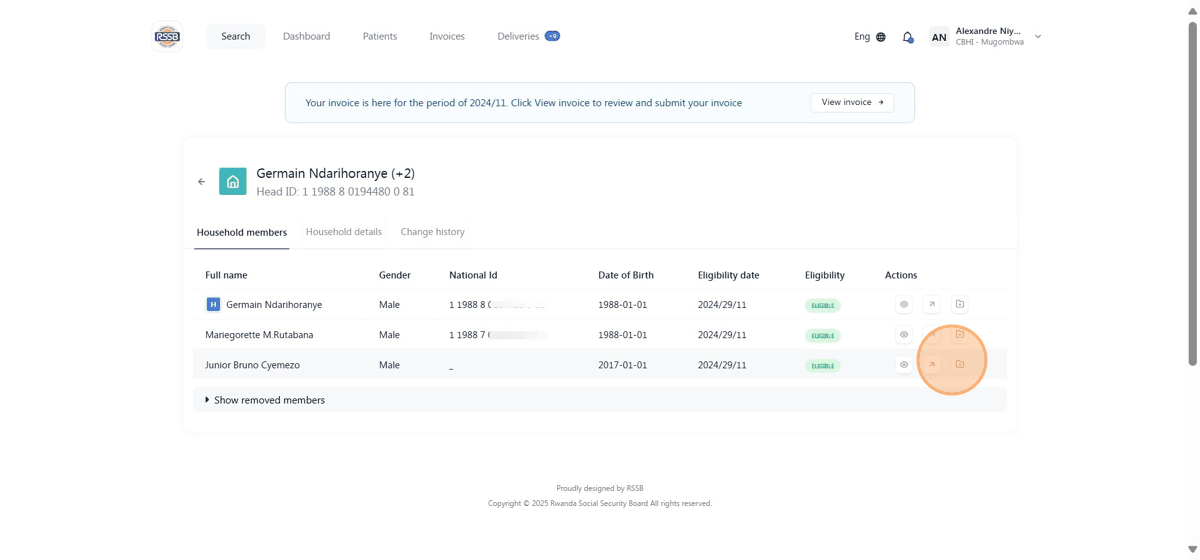
Step 4:
Choose if it is out or in-patient and fill all the remaining fields.
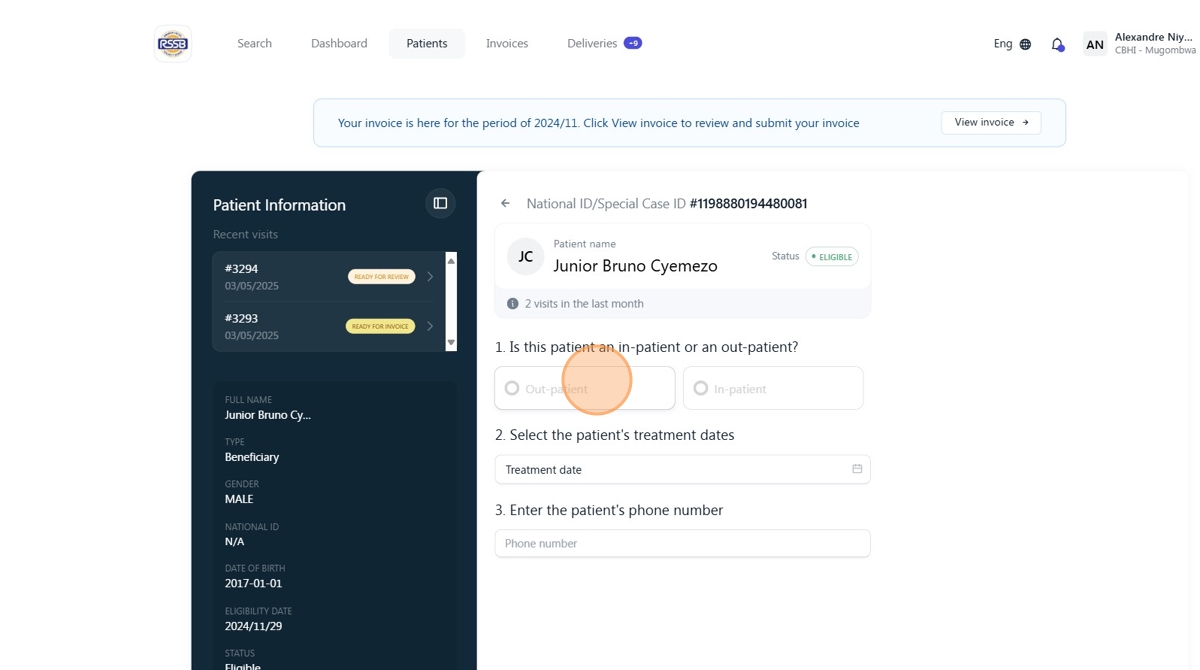
Step 5:
Click "Continue: Diagnosis & referral."
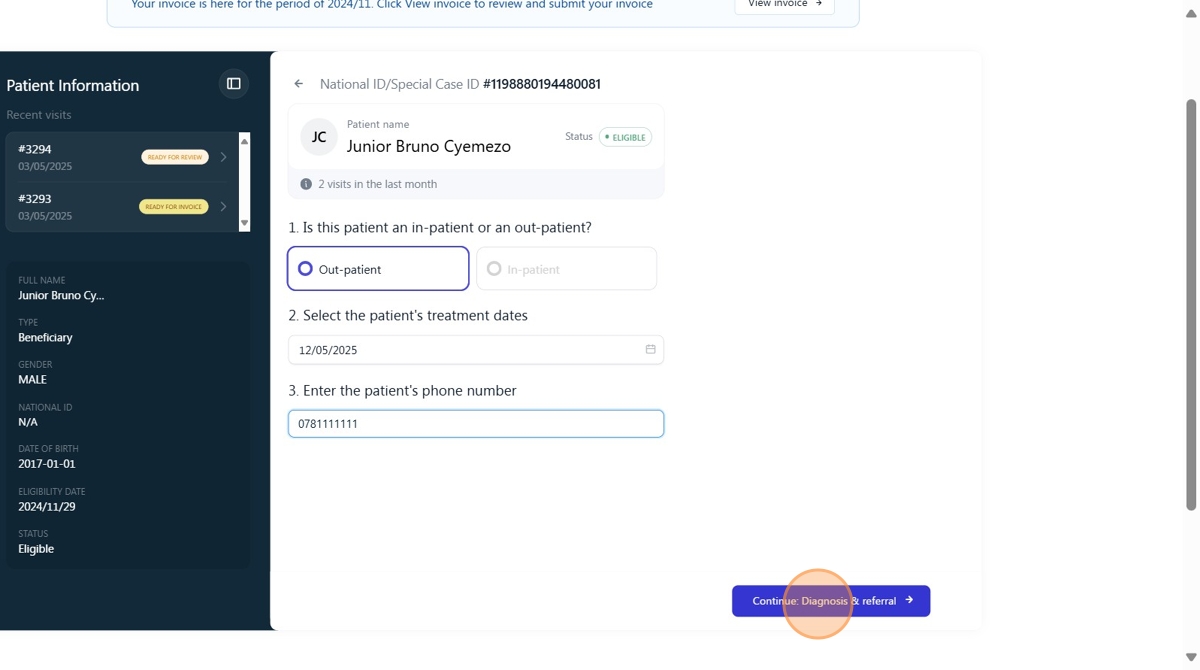
Step 6:
Choose the medical practitioner.
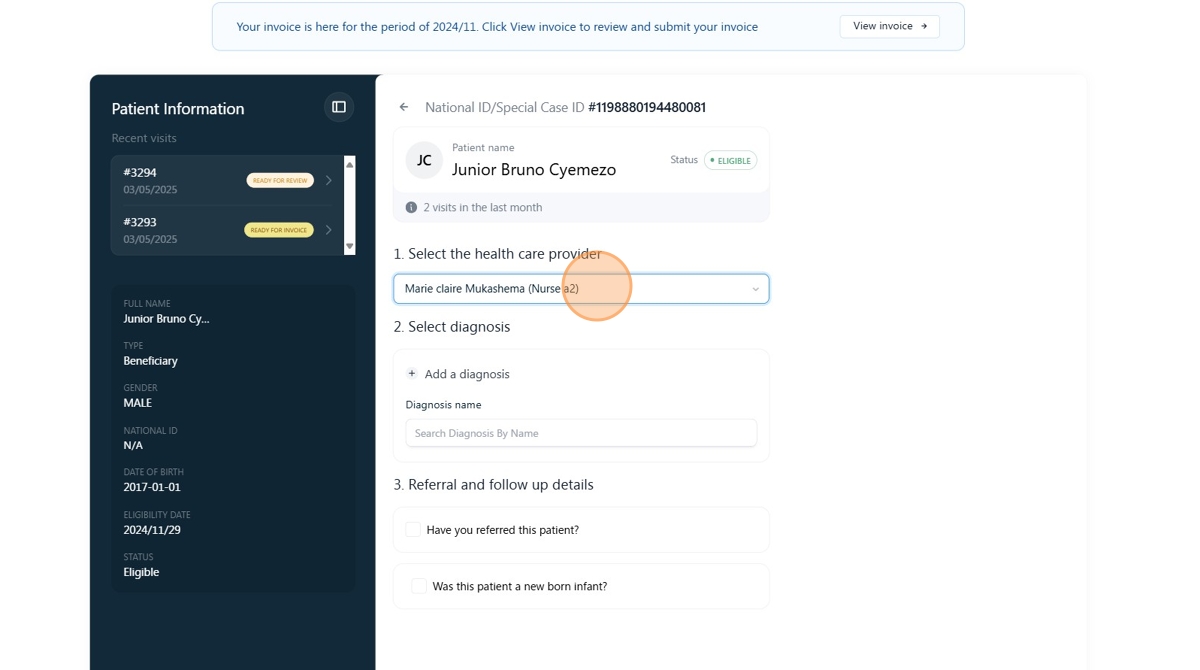
Step 7:
Search for diagnosis by name and add them if any.
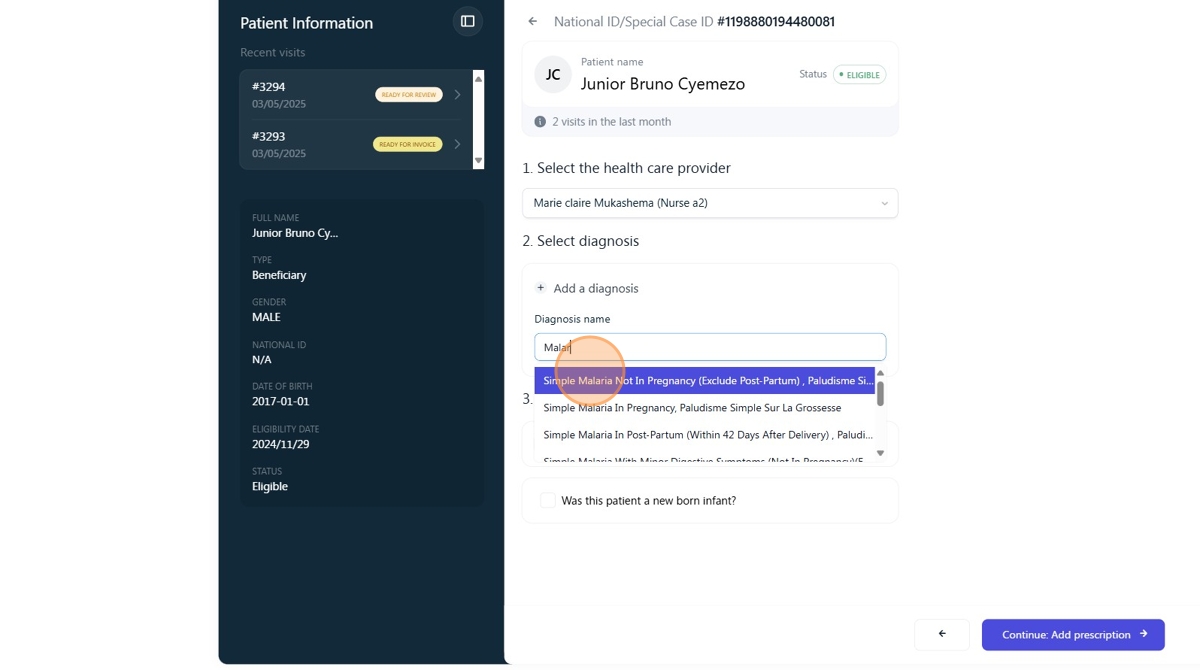
Step 8:
Click this checkbox if you have referred the patient.
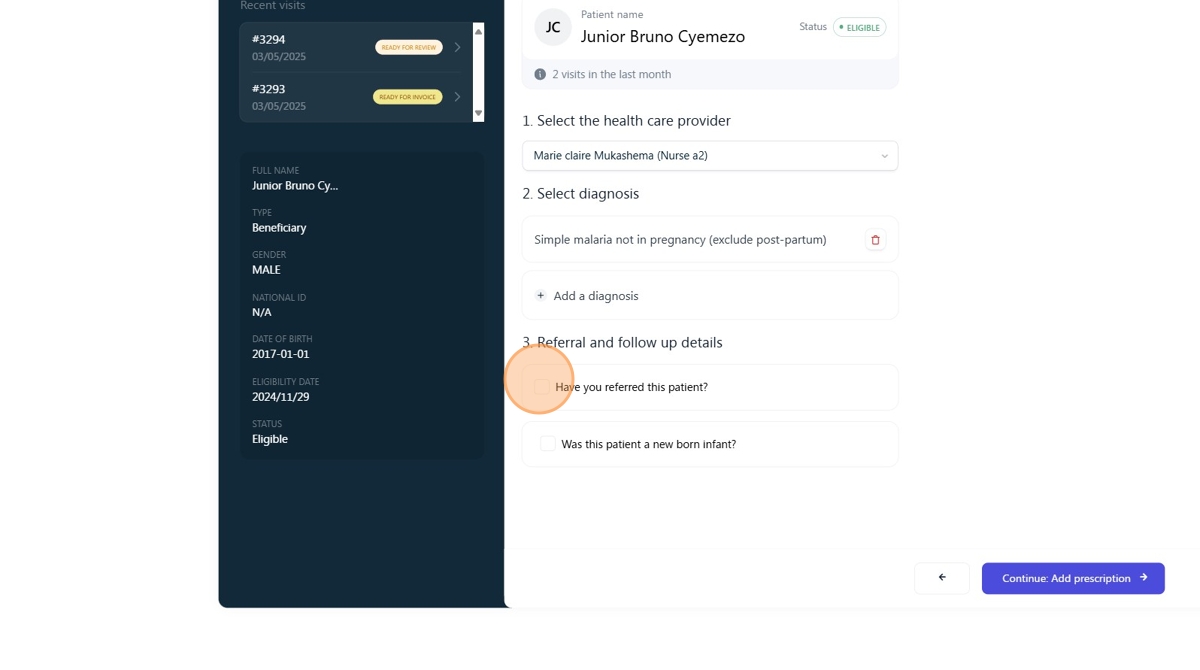
Step 9:
search for the hospital you have referred the patient to.
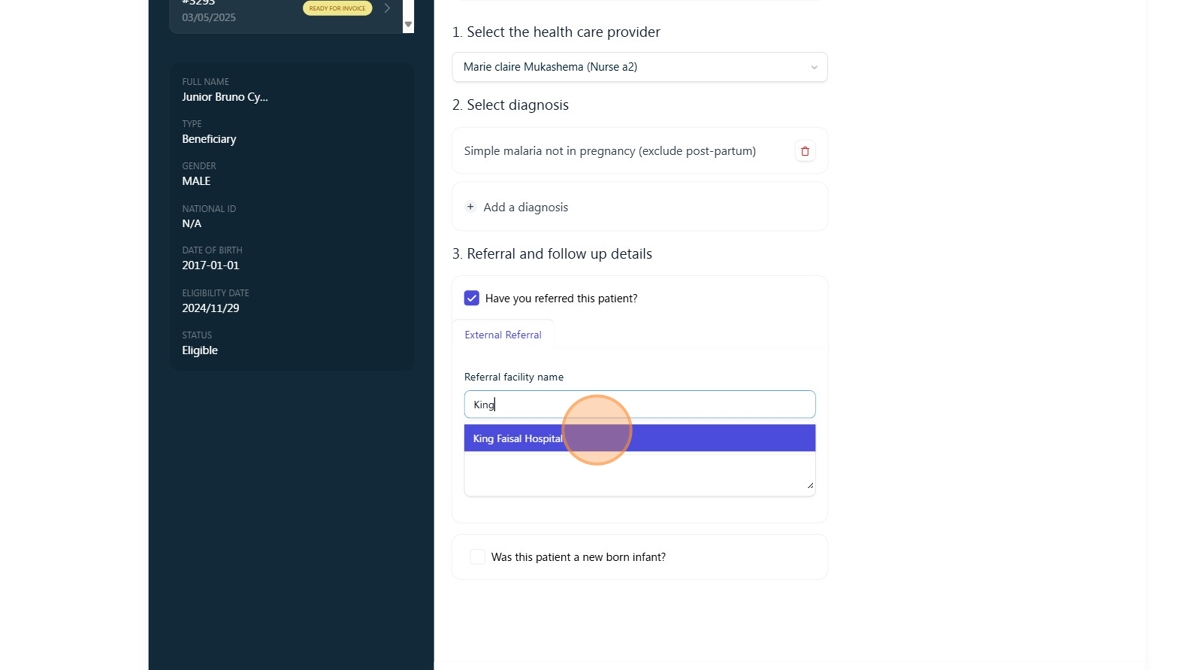
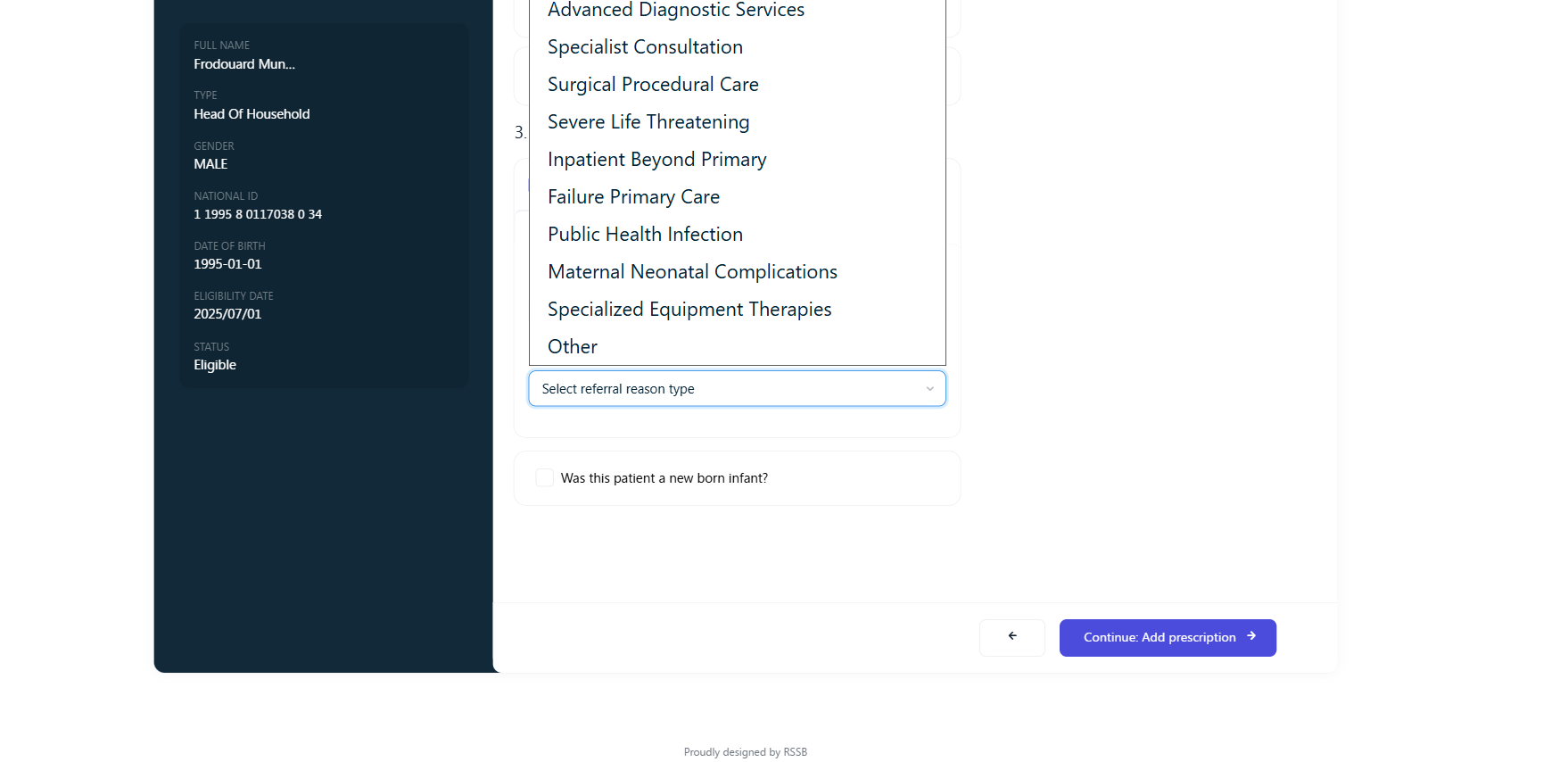
Step 10:
Select Referral reason and click "Continue: Add prescription"
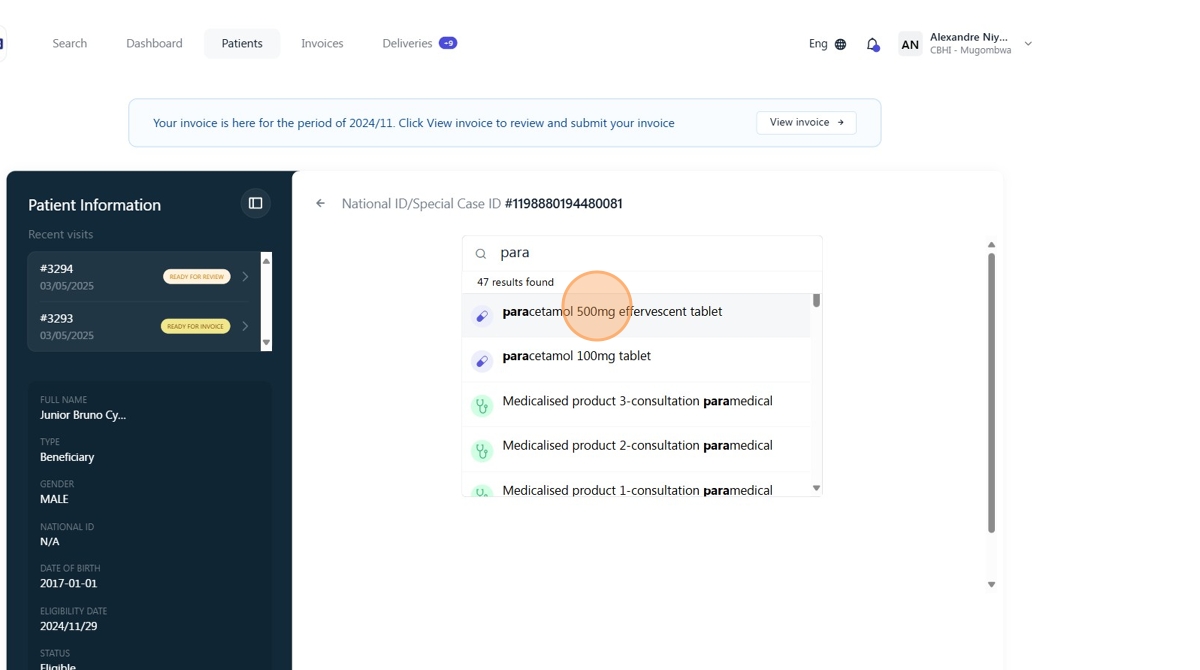
Step 11:
Search for medical products provided to the patient and add them one by one.
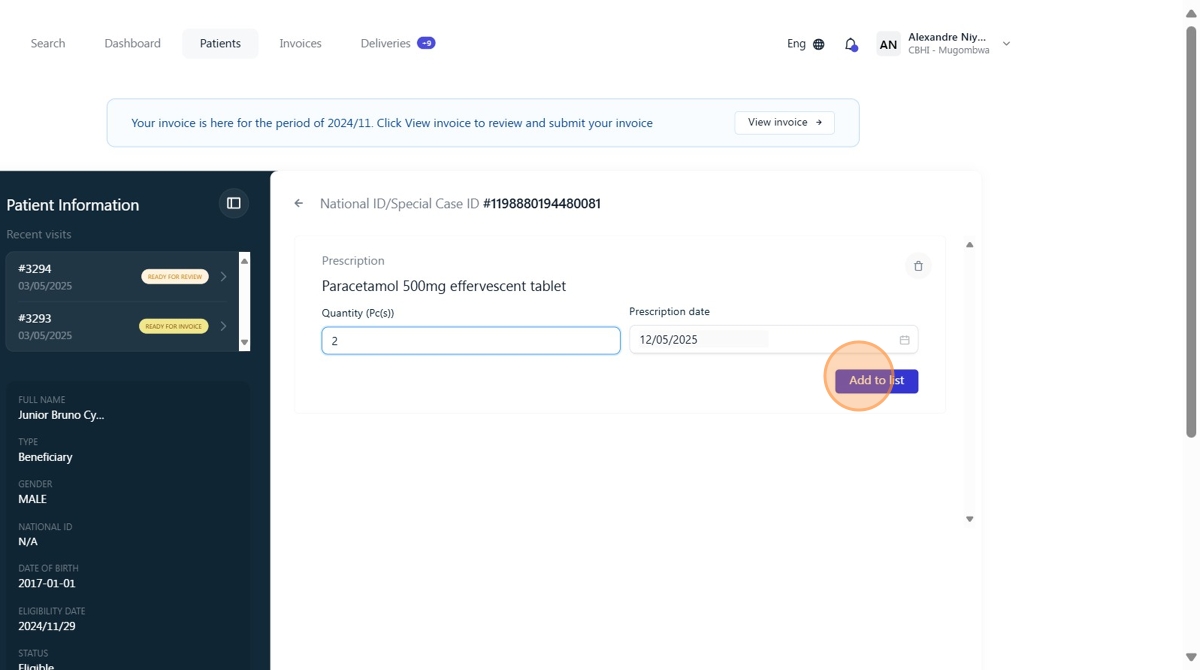
Step 12:
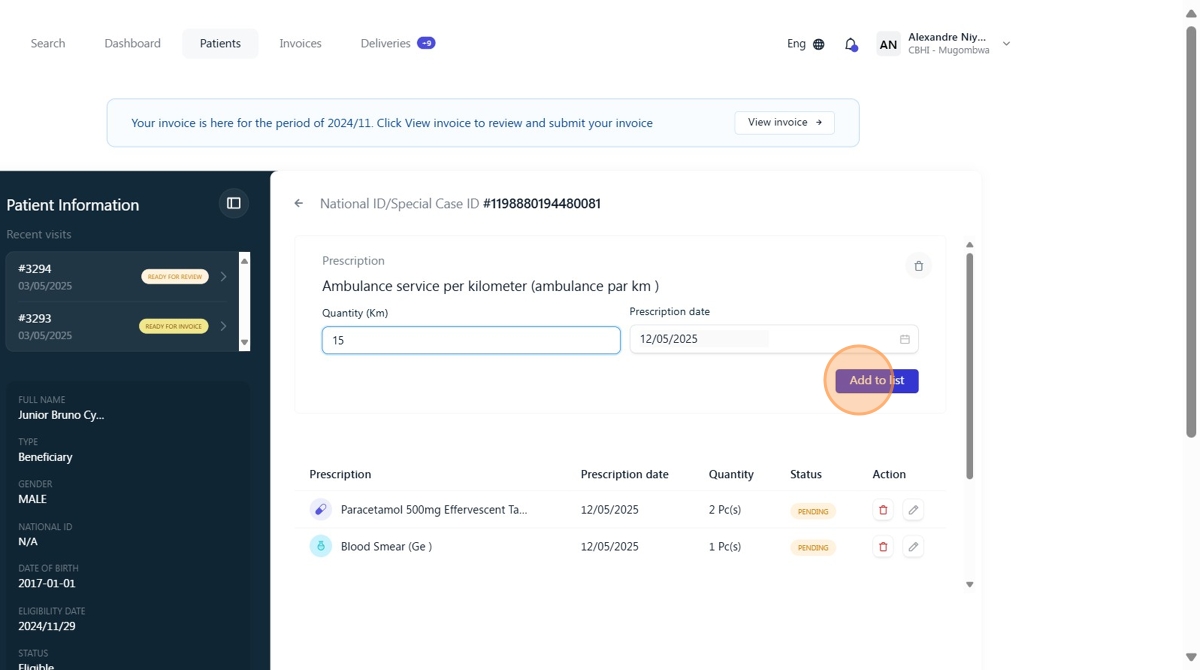
Click "Add to list."
Step 13:
Add ambulance service per kilometer, and it will be verified by RSSB.
Step 14:
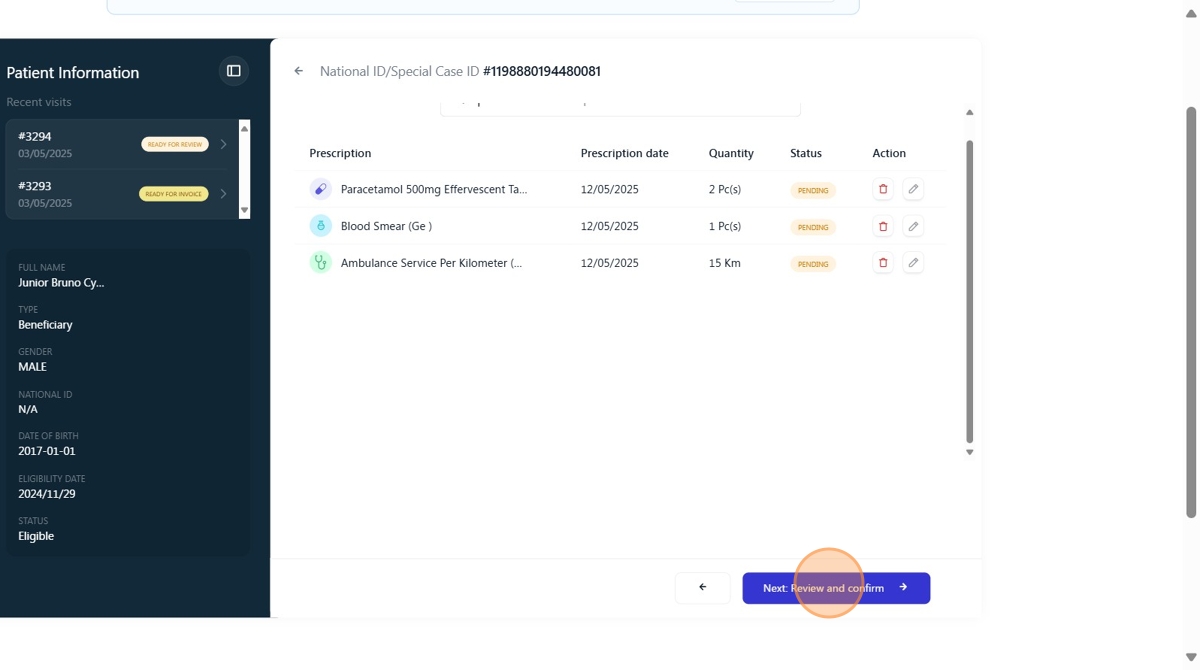
Click "Next: Review and confirm."
Step15: Choose ambulance use type,
- If ambulance was used to transfer patient click "transfer" (Add destination and select a reason for ambulance use) then click save.
NB: Pickup option will not be available for use if ambulance is not the only service on the patient voucher.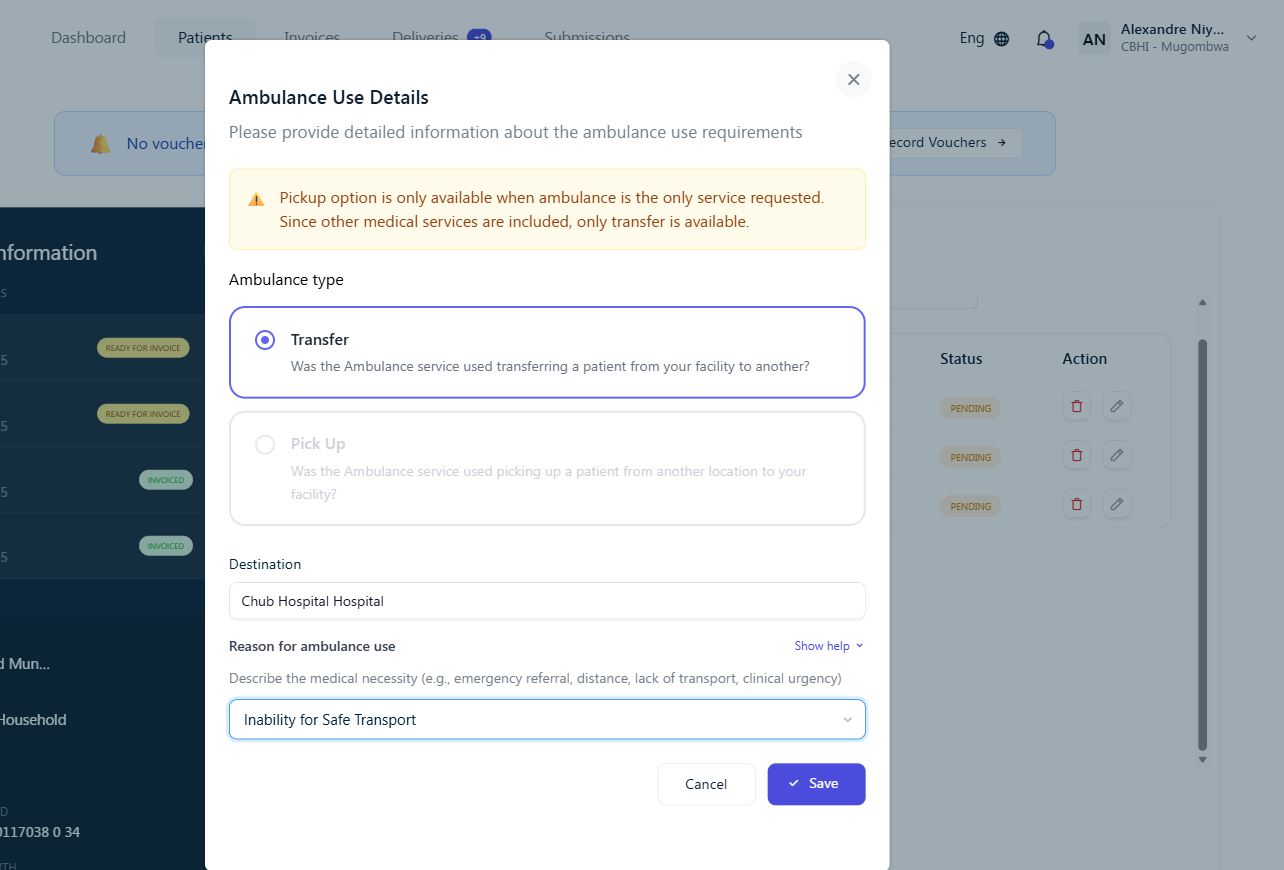
- If the ambulance was used to pick the patient, click "Pick Up" (Add pick up location, destination and select a reason for ambulance use then click "save")
NB: If ambulance is the only service on the patient voucher, the pickup option will be available.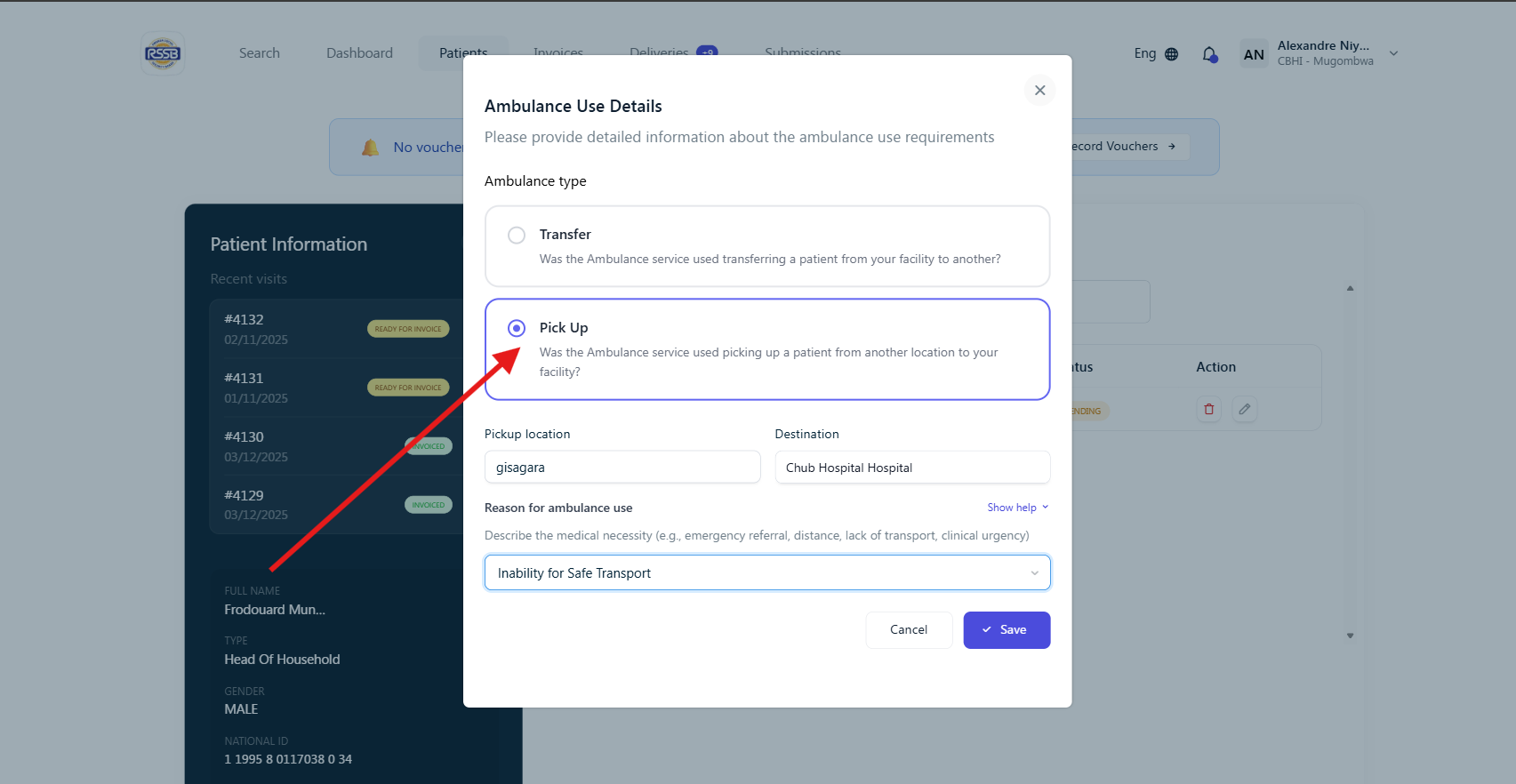
Step 16:
From here, you can see that RSSB will pay 90% of the ambulance cost, since the remaining amount has been covered through capitation, while the patient will pay 10% of the ambulance cost plus RWF 200.
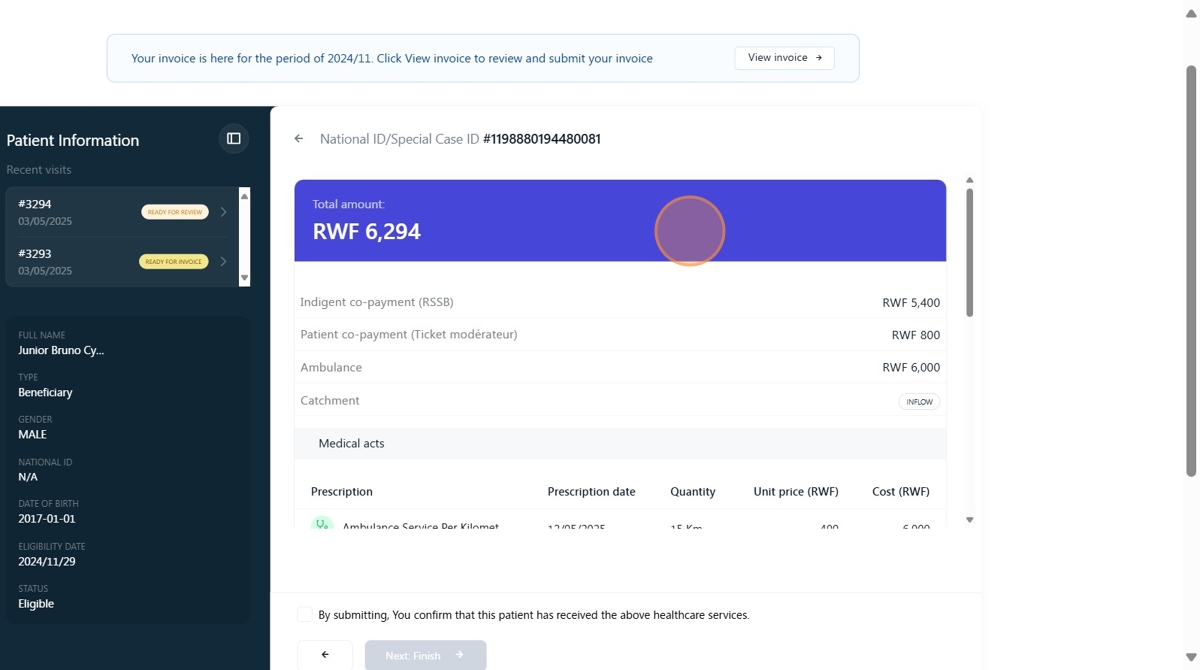
Step 17:
Click "Next: Finish."
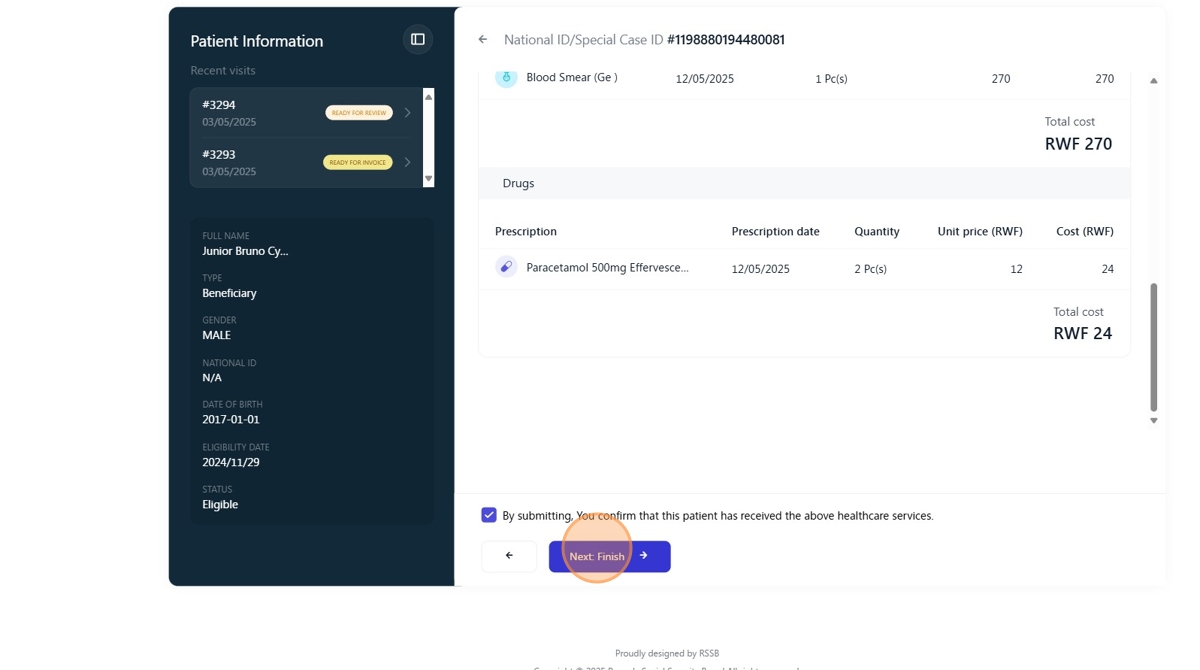
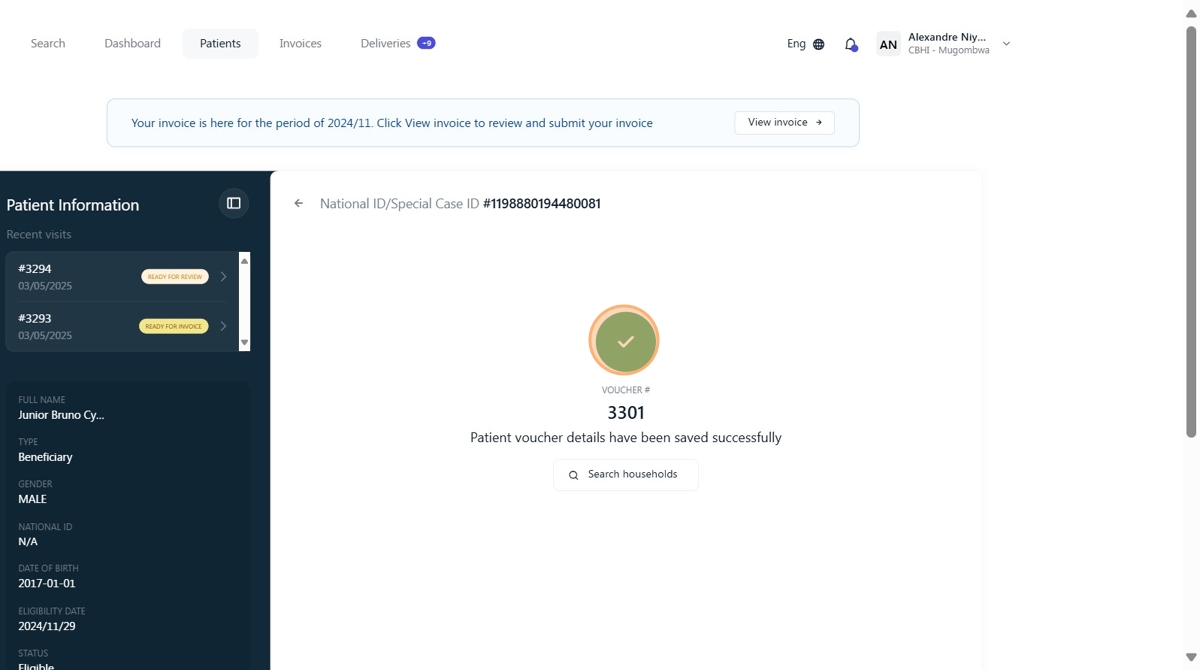
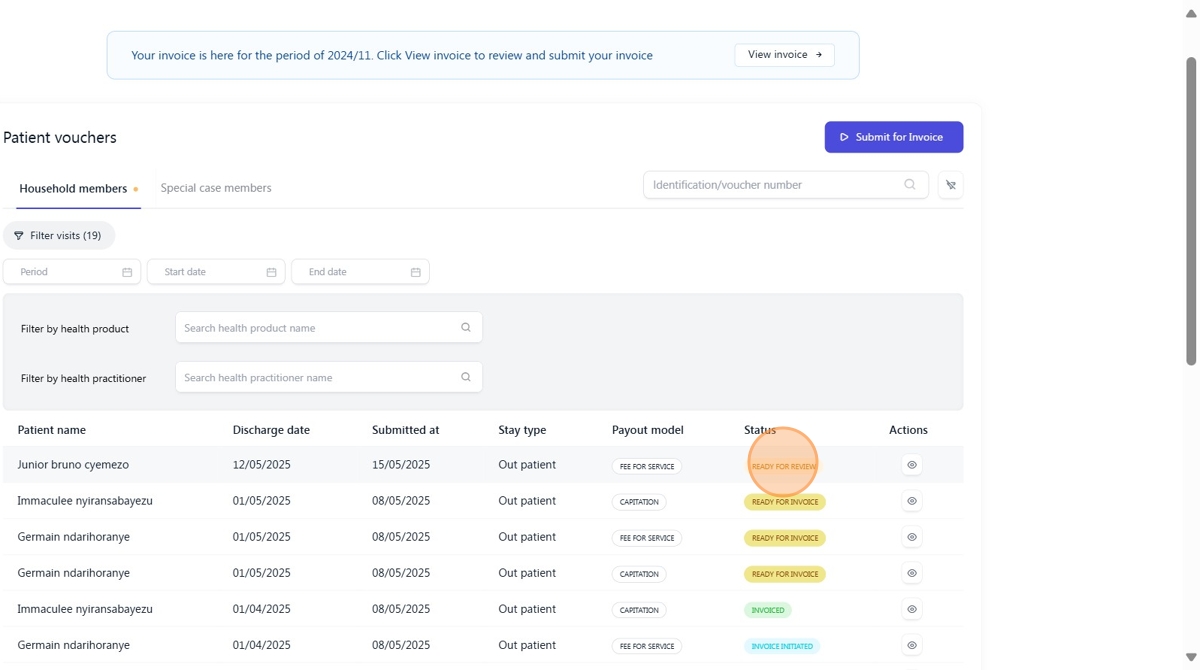
The created voucher will have a 'Ready for Review' status, as it will be verified by RSSB.
Was this article helpful?
That’s Great!
Thank you for your feedback
Sorry! We couldn't be helpful
Thank you for your feedback
Feedback sent
We appreciate your effort and will try to fix the article